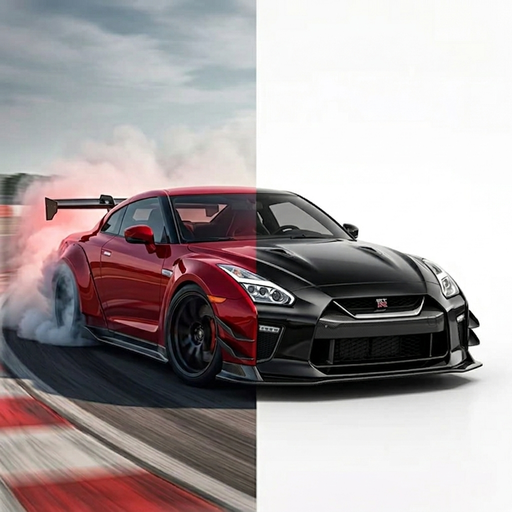
CAR PAINT VISUALIZER
See a new paint color on your car before you decide.
Wondering if your car should be a deep blue, a warm silver, or something much louder? Explore color directions with an AI concept made from your vehicle photo.
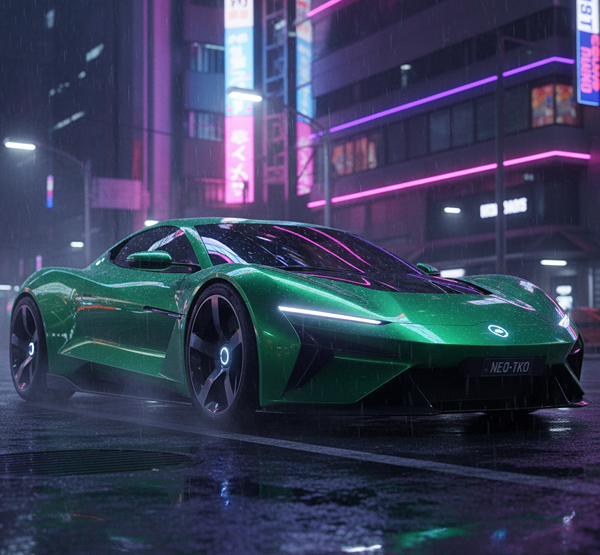
Compare paint ideas with your own car as the starting point
Looking at paint swatches can be hard when you are trying to imagine the finished car. TuneAI gives you a way to explore broad color ideas in context. Upload a clear photo and describe the shade or mood you want to try, from understated metallics to bright custom colors.
You can also combine a color change with other styling ideas, such as darker wheels or a sportier body kit, to see how the overall direction feels. Save a few concepts and compare them before you talk through paint options with a body shop.
Use color previews as inspiration
AI generated images are visual concepts, not an exact color match. Screen settings, outdoor light, paint formula, surface condition, and finish all change how a real color appears. Ask a professional for physical samples and a final quote before making a decision.
Color directions to explore
- Metallic blue or deep green for a vivid finish.
- Warm silver, bronze, or sand for a muted custom look.
- Gloss black with contrasting details.
- A two tone paint direction with a darker roof or hood.
Download TuneAI for iPhone to make a car color concept from your own photo.