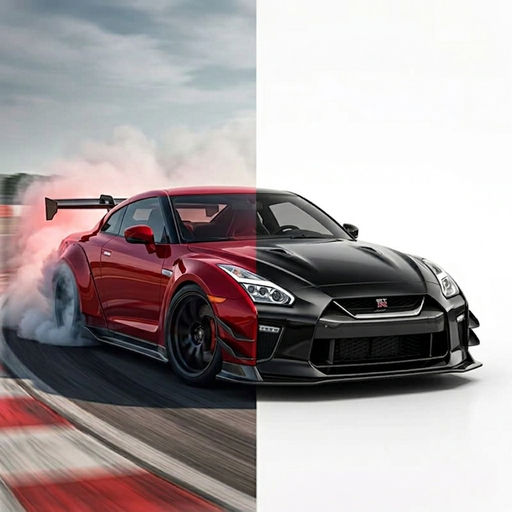
THE VEHICLE PHOTO GUIDE
A practical photo checklist for your next car concept.
A clear starting photo makes a customization idea easier to judge. Use this checklist before trying an AI color change, wrap concept, or broader car redesign.
1. Choose the angle for the change
| Your idea | Useful photo | Keep visible |
|---|---|---|
| Body color | A clear front three-quarter or side view. | Large body panels and their existing reflections. |
| Side stripes or wrap graphics | A side view with the doors in frame. | Panel edges, wheel arches, and door gaps. |
| Wheels or stance | A side or three-quarter shot with the full wheels visible. | Tires, wheel faces, arches, and the ground. |
| Front lip or body kit | A view that clearly shows the bumper you want to change. | Bumper edges and surrounding bodywork. |
2. Check the source image
- Keep the entire part you want to modify inside the frame.
- Choose a sharp image rather than a screenshot of a small thumbnail.
- Use even light when possible; deep shadows can hide panel shapes.
- Avoid people or other vehicles blocking the car.
- Start with an unfiltered photo so the current color is easier to compare.
Use a photo you own or are allowed to edit. If you share a generated concept publicly, check whether the original contains personal details you would prefer not to publish.
3. Pick the TuneAI tool that matches the idea
Reference Style is another option when you have a target car photo and a reference look. It uses the reference’s color, finish, mood, and styling language as direction for the target image.
4. Change one thing at a time
For a comparison, start with one wheel idea or one color direction. Keep the source photo and the other selections the same between attempts. This makes it easier to tell which change you prefer.
In Vehicle Design’s Custom field, a focused request could be:
Keep this car’s current body color and camera angle. Add a subtle front lip. Do not add a spoiler or change the wheels.
This is a suggested prompt for testing, not a guarantee that every detail will be preserved. Vehicle Paint uses a color selection rather than a custom text field.
5. Compare the result with the source
Look at the vehicle model, body proportions, panel seams, windows, wheel alignment, and background. If those changed unexpectedly, try a clearer source image or a simpler request. Save concepts as ideas, not as evidence that a specific part fits.
6. Bring the idea to a professional
A concept can help explain your preference to a wrap shop or builder. Ask them to confirm the actual material, color, compatible parts, installation details, and price. TuneAI does not create paint formulas, vinyl cutting templates, or engineering specifications.
Explore your own idea in TuneAI.
Free to download on iPhone. Some features require a subscription.
Get TuneAI on the App Store